
Zum Inhalt springenSkip to content
Haushaltsbuch fürs iPhoneBudget tracker for iPhone

Mit Apple Pay zahlen. Kassensturz trägt’s ein. Pay with Apple Pay. Kassensturz logs it.

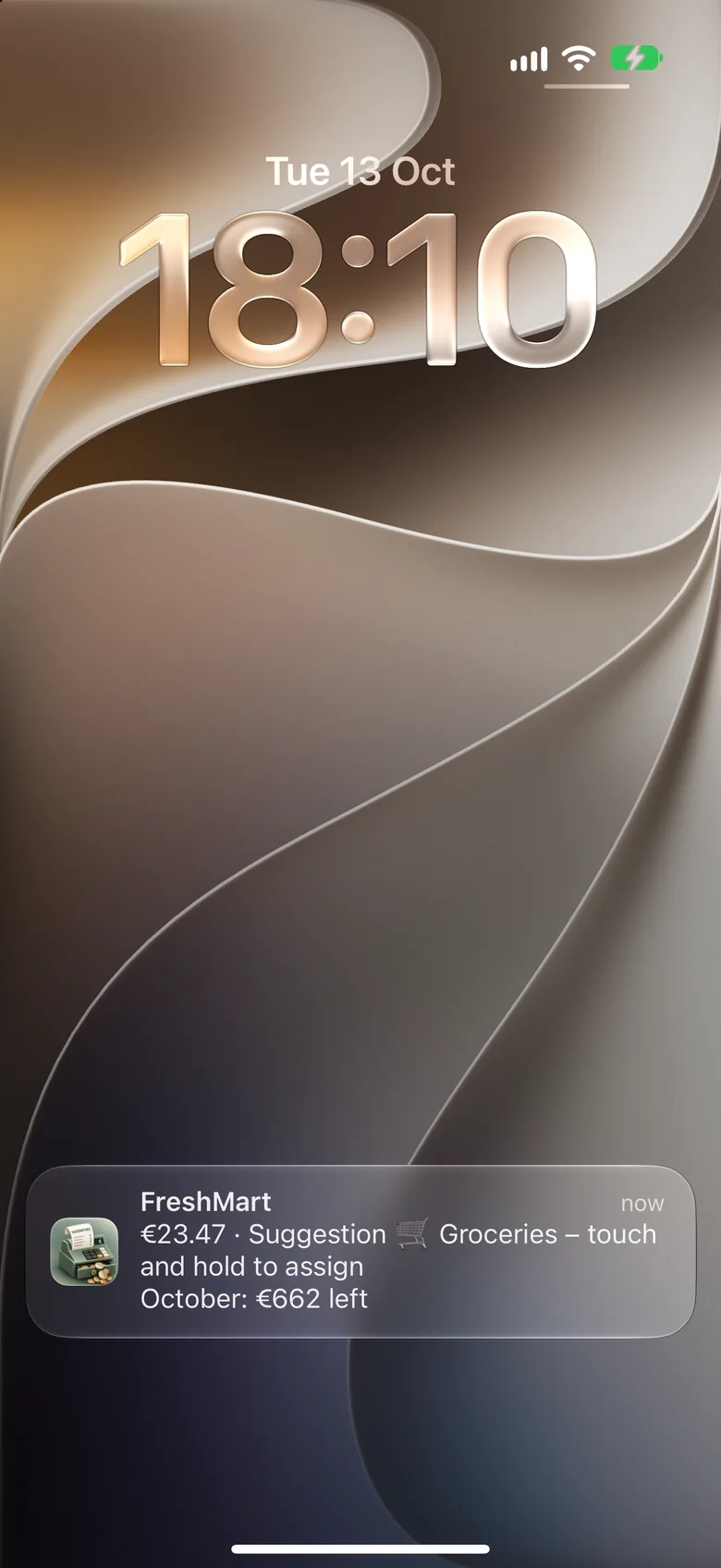
Nach jeder Zahlung kommt eine Mitteilung. Ein Tipp auf die Kategorie – und du weißt, was vom Monat übrig ist.

After every payment, a notification pops up. One tap on the category – and you know what’s left for the month.

Laden im App Store Download on the App Store

4,99 € einmalig · kein Abo €4.99 one-time · no subscription

  • Kein Konto nötigNo account needed
  • Keine WerbungNo ads
  • Daten bleiben auf dem iPhoneData stays on your iPhone
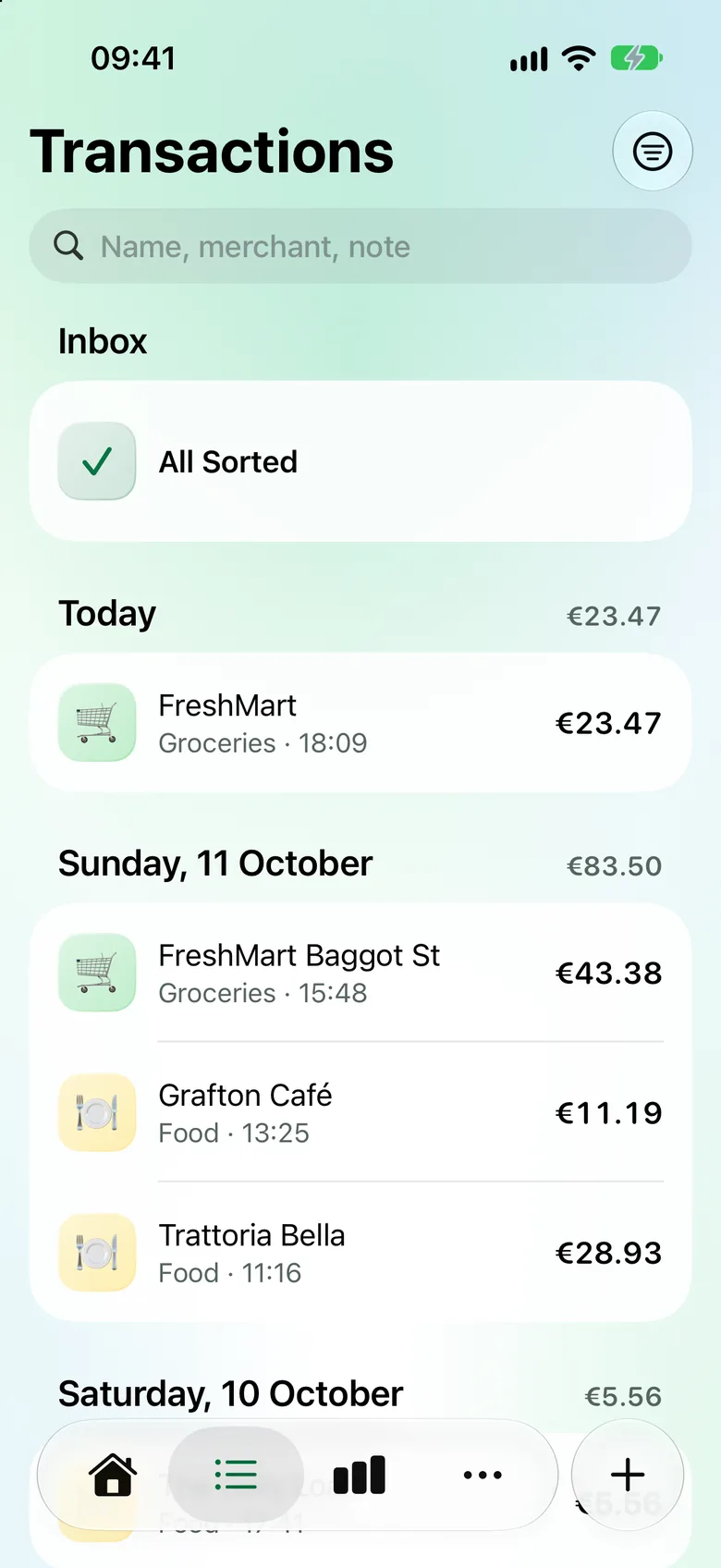
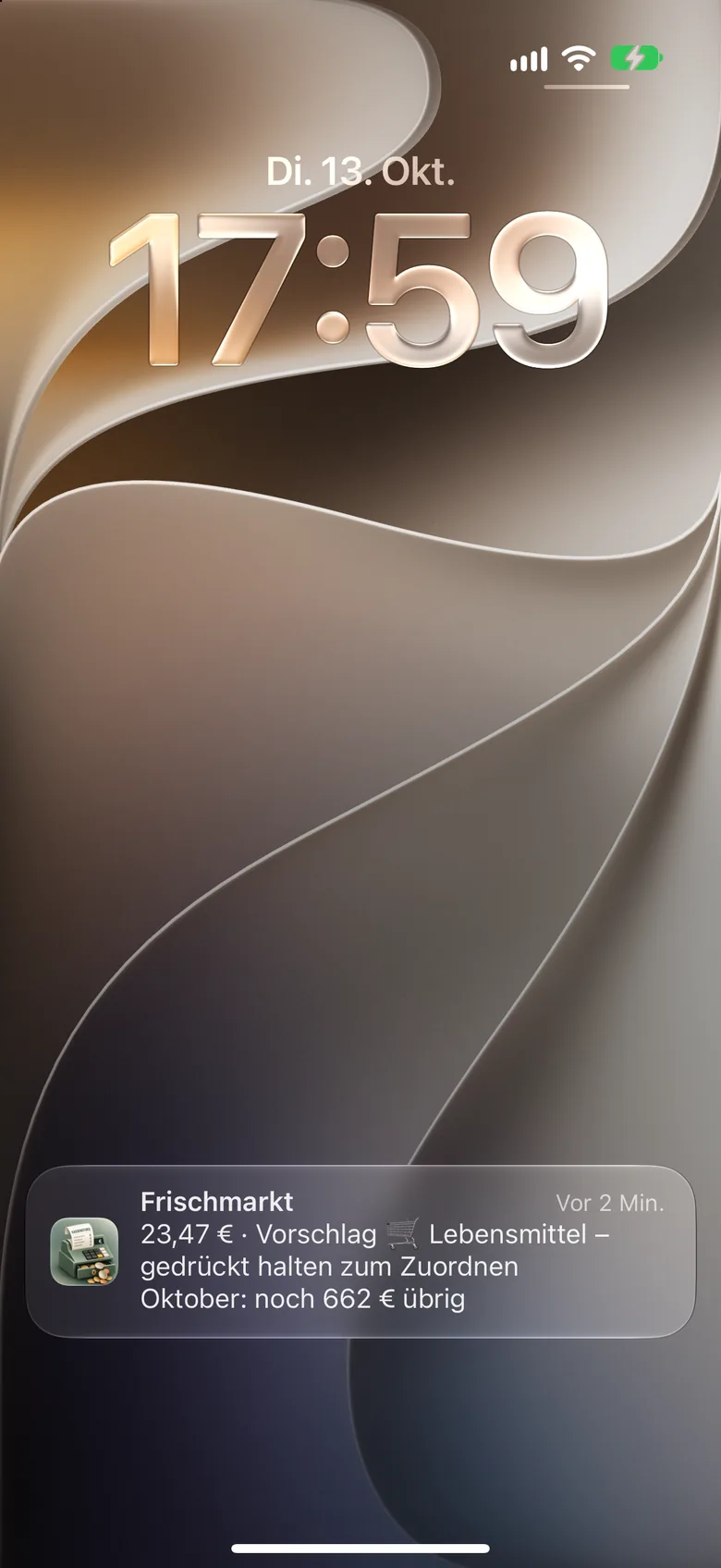
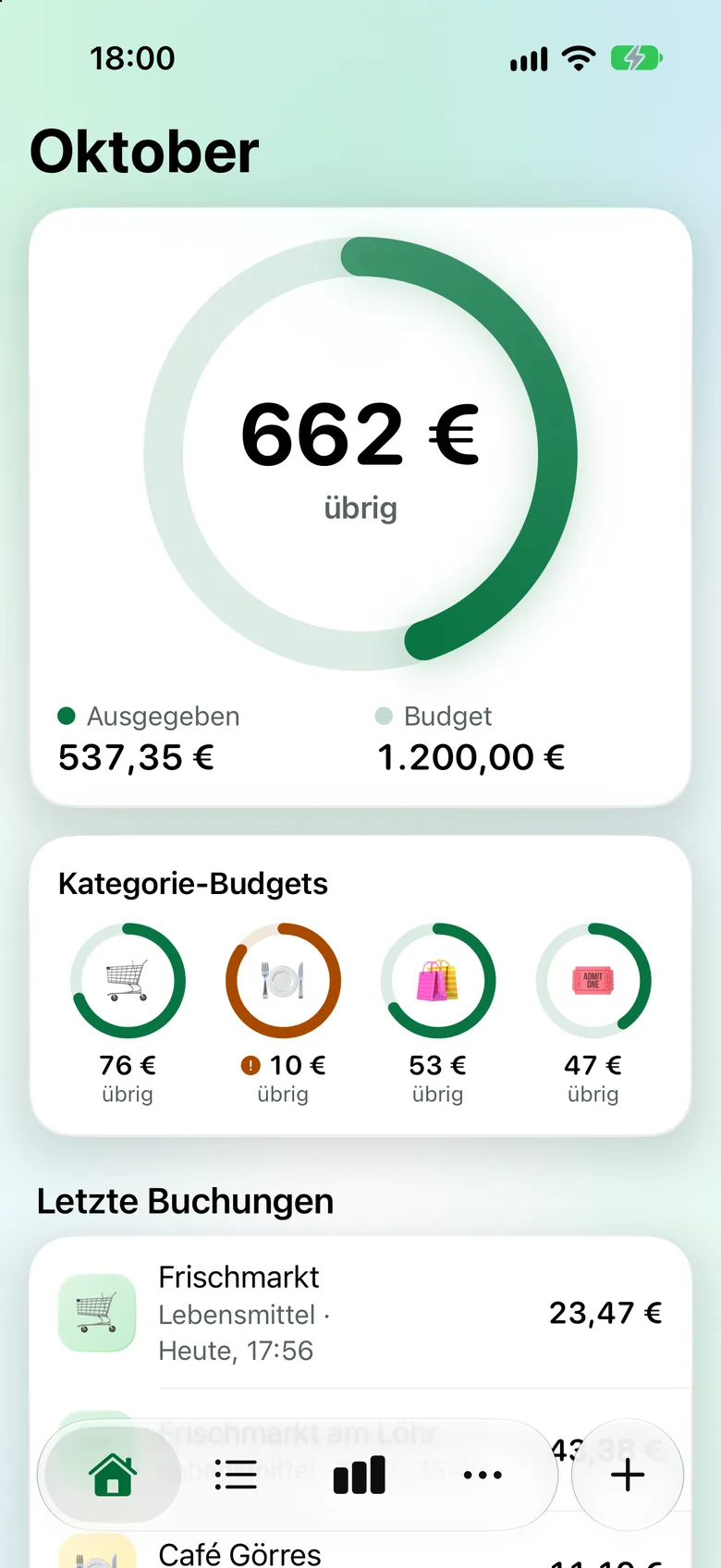
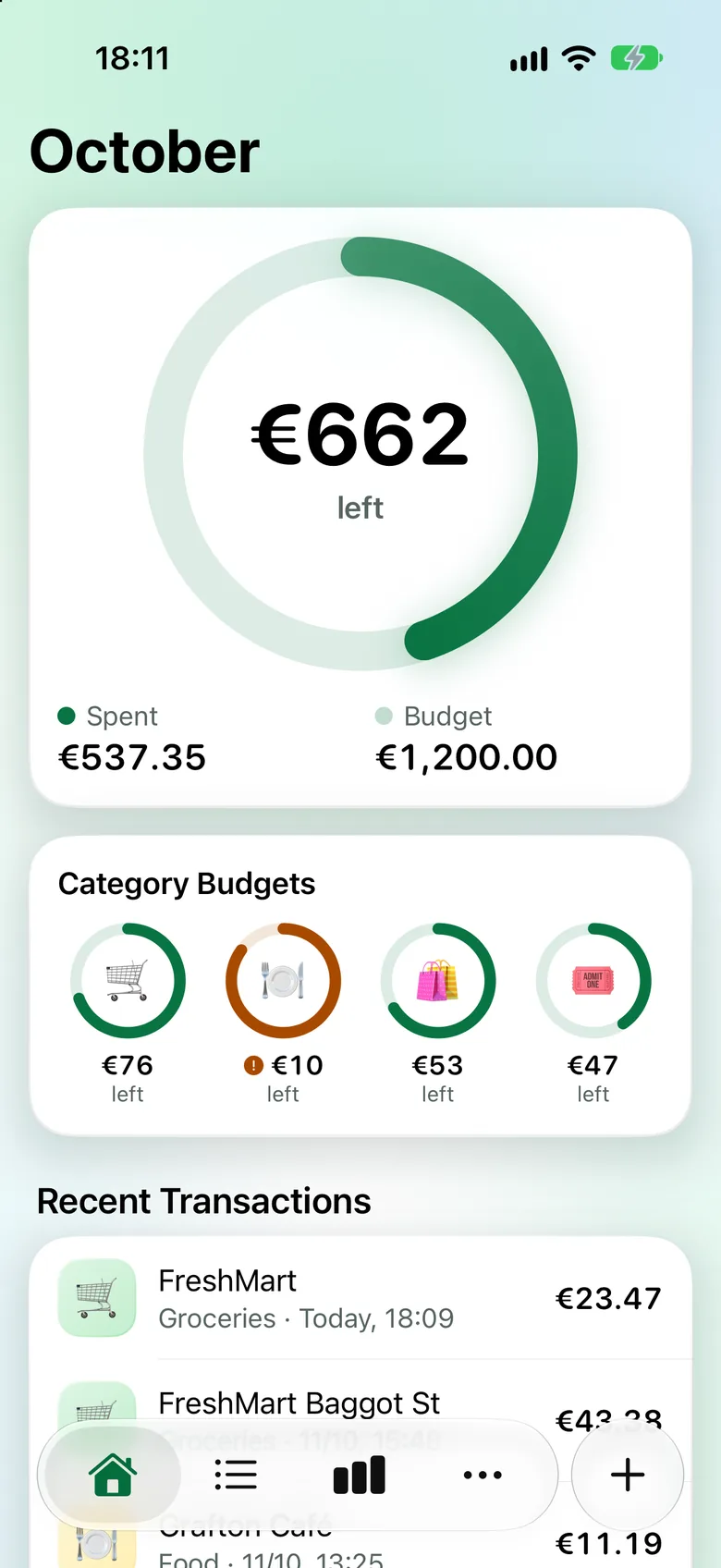
Sperrbildschirm mit einer Mitteilung von Kassensturz: Frischmarkt, 23,47 €, Vorschlag Lebensmittel, Oktober: noch 662 € übrig. Lock Screen with a Kassensturz notification: FreshMart, €23.47, suggestion Groceries, October: €662 left. Übersicht danach: 662 € übrig im Oktober, die Zahlung bei Frischmarkt steht als Lebensmittel ganz oben. Overview afterwards: €662 left in October, the FreshMart payment is listed under Groceries at the top.
So geht’sHow it works

Einmal einrichten. Dann läuft’s von selbst.Set it up once. Then it runs by itself.

Kassensturz hängt sich über eine Automation in der Kurzbefehle-App an Apple Pay. Die Anleitung in der App führt dich in wenigen Minuten durch jeden Schritt.

Kassensturz hooks into Apple Pay through an automation in the Shortcuts app. The in-app guide walks you through every step in a few minutes.

  1. Automation anlegenCreate the automation

    In Kurzbefehle den Auslöser „Wallet – Wenn ich eine Wallet-Karte verwende“ wählen und die Aktion „Ausgabe erfassen“ von Kassensturz hinzufügen.

    In Shortcuts, choose the trigger “Wallet – When I use a Wallet card” and add the Kassensturz action “Add Expense”.

  2. Mit Apple Pay bezahlenPay with Apple Pay

    Im Laden wie gewohnt mit dem iPhone zahlen. Betrag, Händler und Karte landen sofort in der App.

    Pay with your iPhone in store as usual. Amount, merchant and card land in the app right away.

  3. Kategorie antippenTap a category

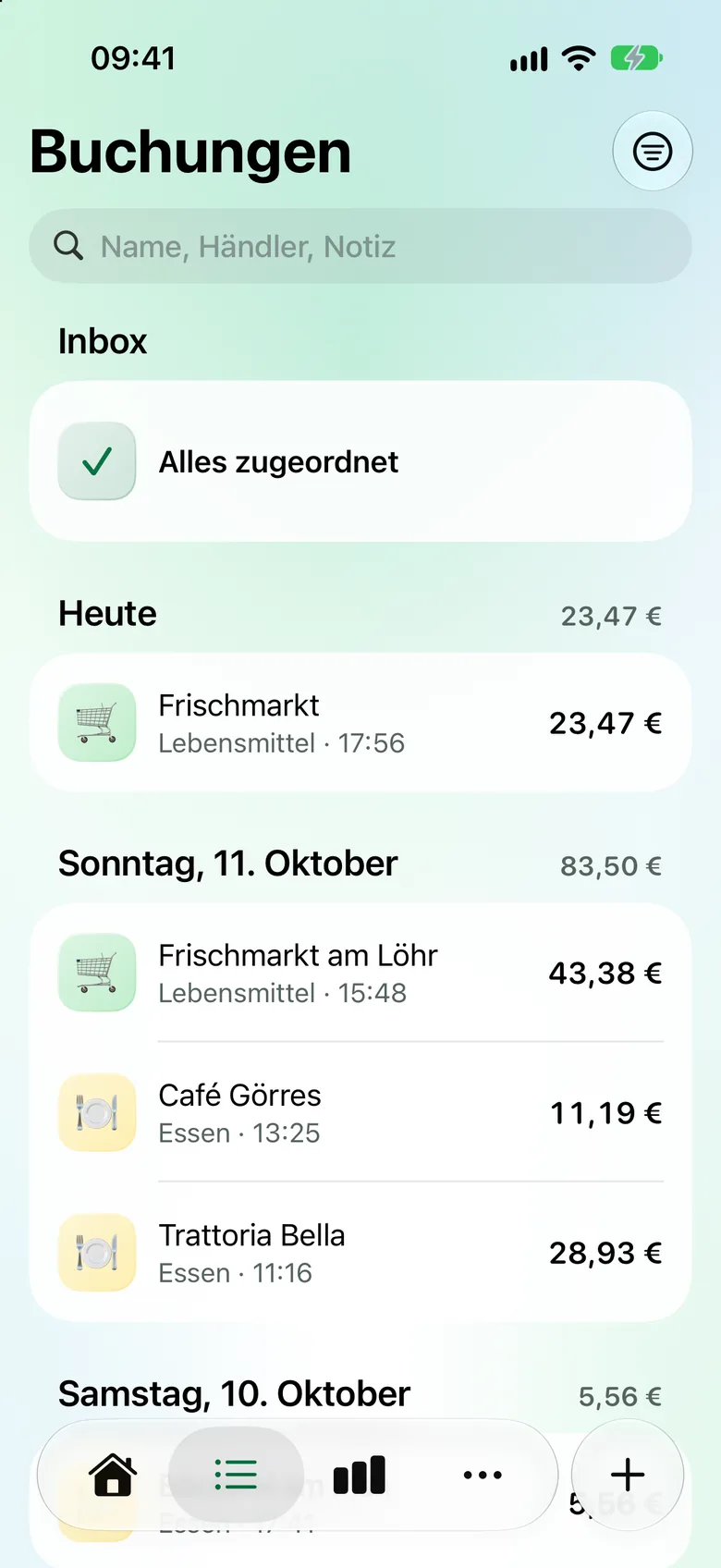
    Kennt Kassensturz Händler oder Ort, schlägt die Mitteilung gleich die Kategorie vor. Gedrückt halten, antippen – fertig. Ohne Kategorie wartet die Zahlung in der Inbox.

    If Kassensturz knows the merchant or place, the notification suggests the category. Touch and hold, tap – done. Without a category, the payment waits in your Inbox.

FunktionenFeatures
Budget

Immer wissen, was noch übrig ist.Always know what’s left.

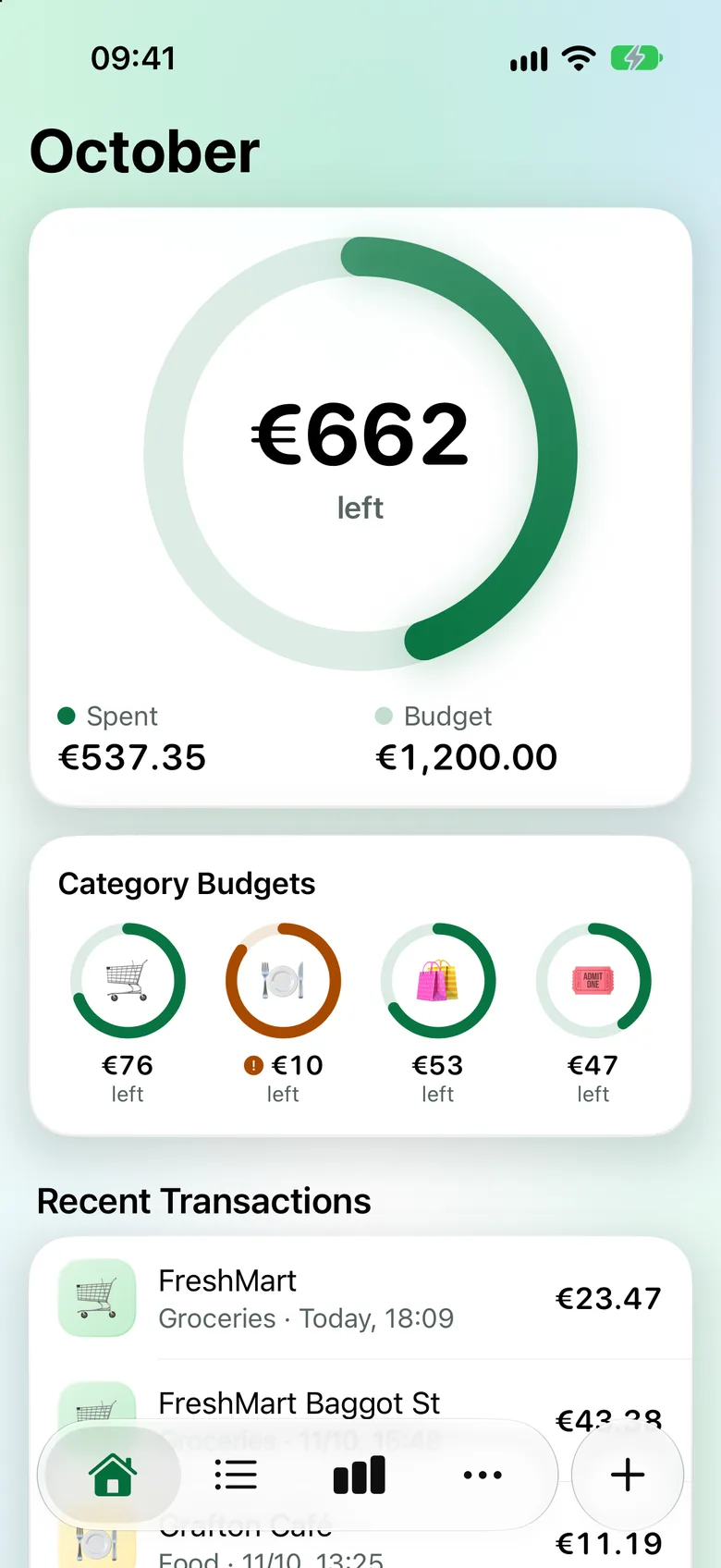
Der Ring zeigt auf einen Blick, wie viel vom Monatsbudget bleibt – und warnt dich rechtzeitig.

The ring shows at a glance how much of your monthly budget is left – and warns you in time.

  • Grün, ab 80 % orange, über dem Budget rot.Green, orange from 80 %, red once you’re over.
  • Kategorie-Budgets für bis zu vier Bereiche, etwa Essen oder Shopping.Category budgets for up to four areas, like food or shopping.
  • Rest am Monatsende: verfallen lassen, mitnehmen oder aufs Budget-Konto legen.Remainder at month-end: let it lapse, carry it over or move it to your budget account.
  • Auf Wunsch zeigt jede Mitteilung, was vom Monat übrig ist.Every notification can show what’s left for the month.
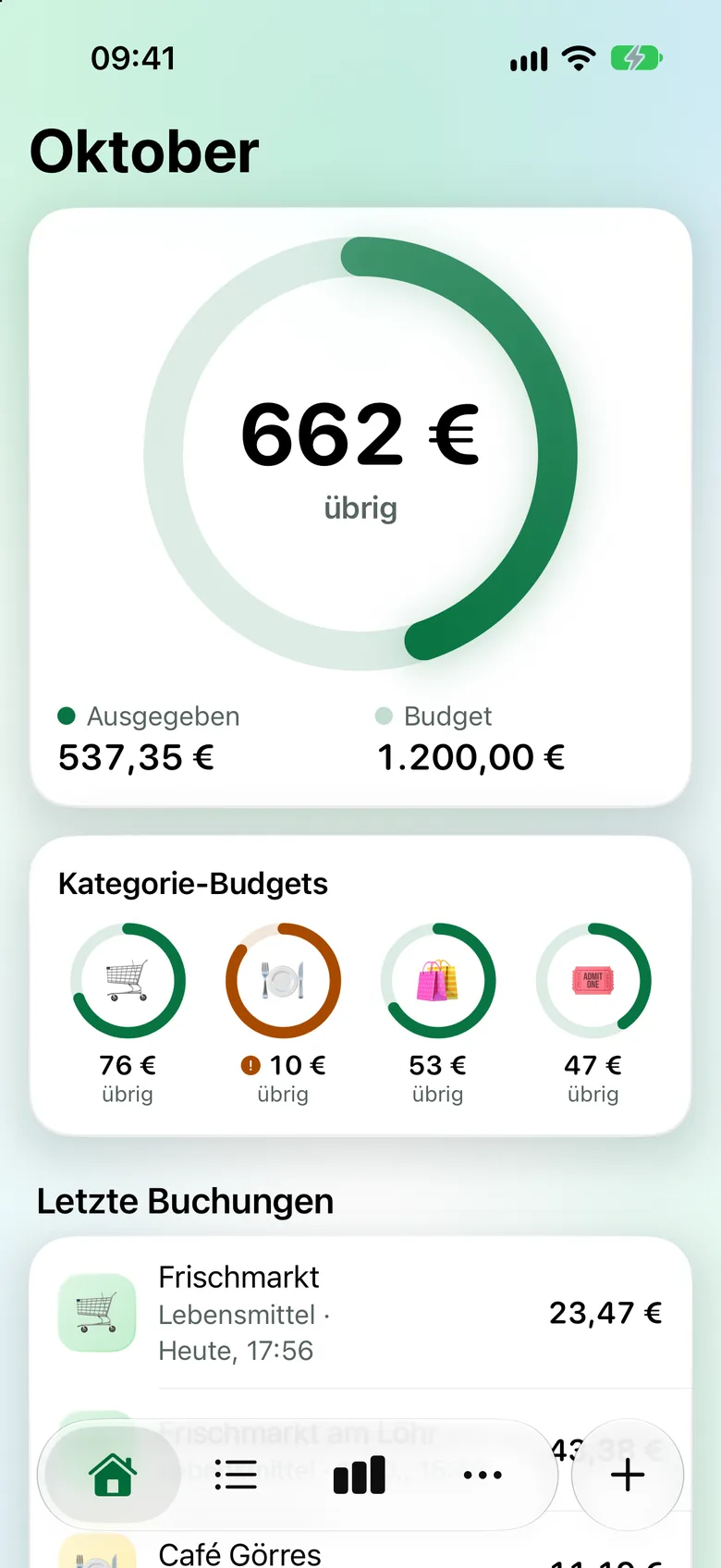
Übersicht im Oktober: Ring mit 662 € übrig von 1.200 €, darunter vier Kategorie-Budgets und die letzten Buchungen. October overview: ring showing €662 left of €1,200, four category budgets and recent transactions below.
ErfassenTracking

Bar oder online? In Sekunden eingetragen.Cash or online? Logged in seconds.

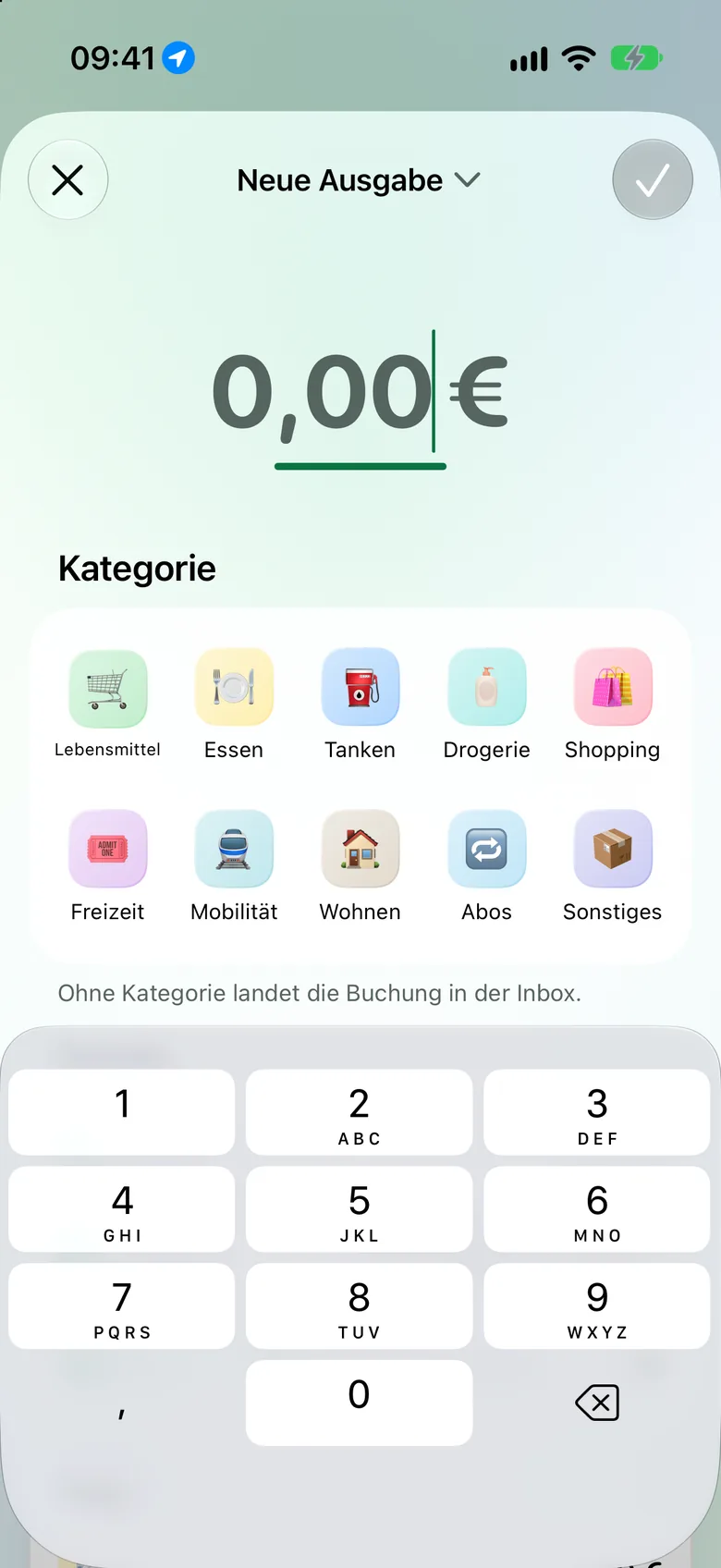
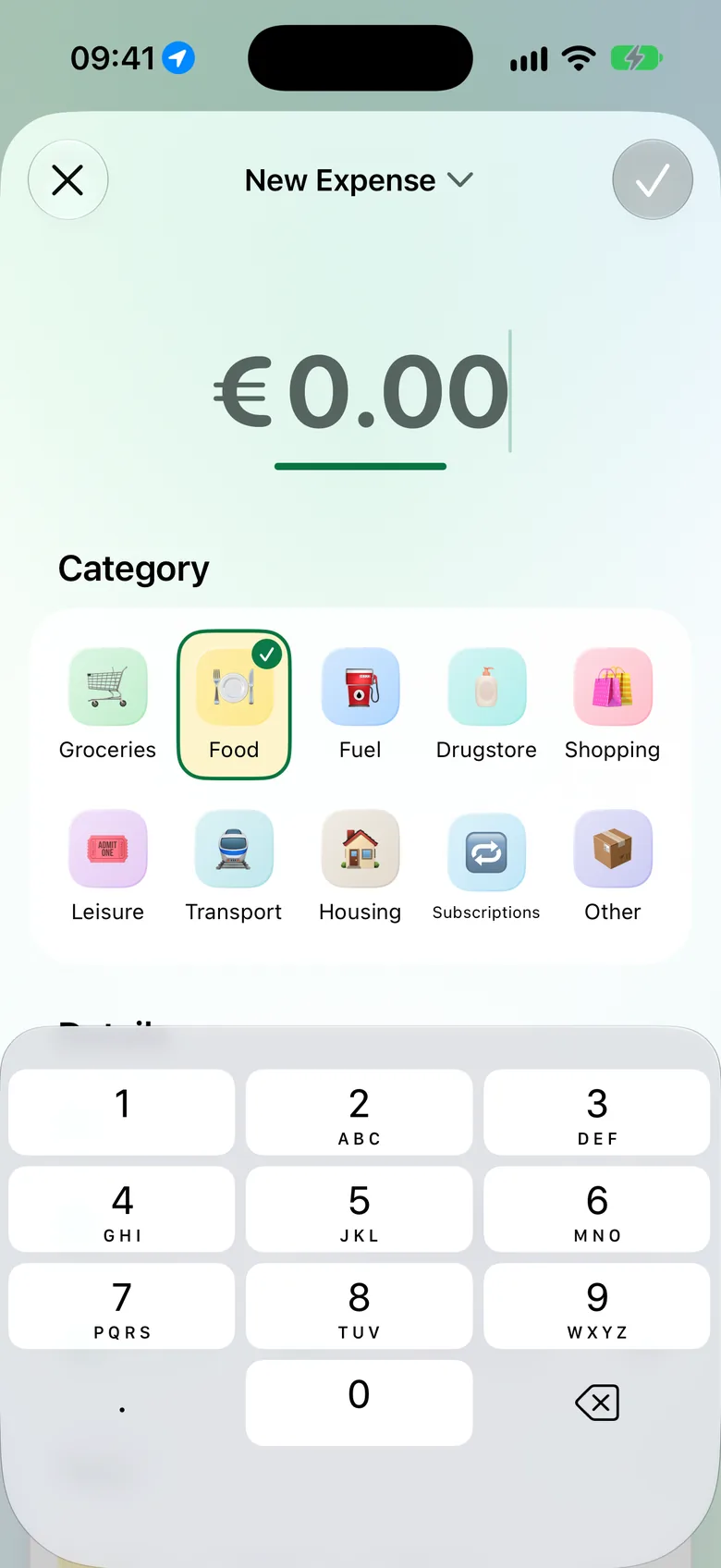
Was nicht über Apple Pay läuft, trägst du mit einem Tipp auf + selbst ein: Betrag, Kategorie, fertig.

Anything that doesn’t go through Apple Pay, you add with a tap on +: amount, category, done.

  • Auch per Siri, Aktionstaste oder Kontrollzentrum.Also via Siri, the Action button or Control Centre.
  • Gespeicherte Orte schlagen Kategorie und Tags von selbst vor.Saved places suggest a category and tags by themselves.
  • Name, Tags, Notiz und Karte, wenn du es genauer willst.Name, tags, note and card when you want more detail.
Neue Ausgabe erfassen: Betragsfeld, Kategorien als Kacheln und Ziffernblock. Adding a new expense: amount field, categories as tiles and number pad.
AuswertungInsights

Sieh, wohin dein Geld geht.See where your money goes.

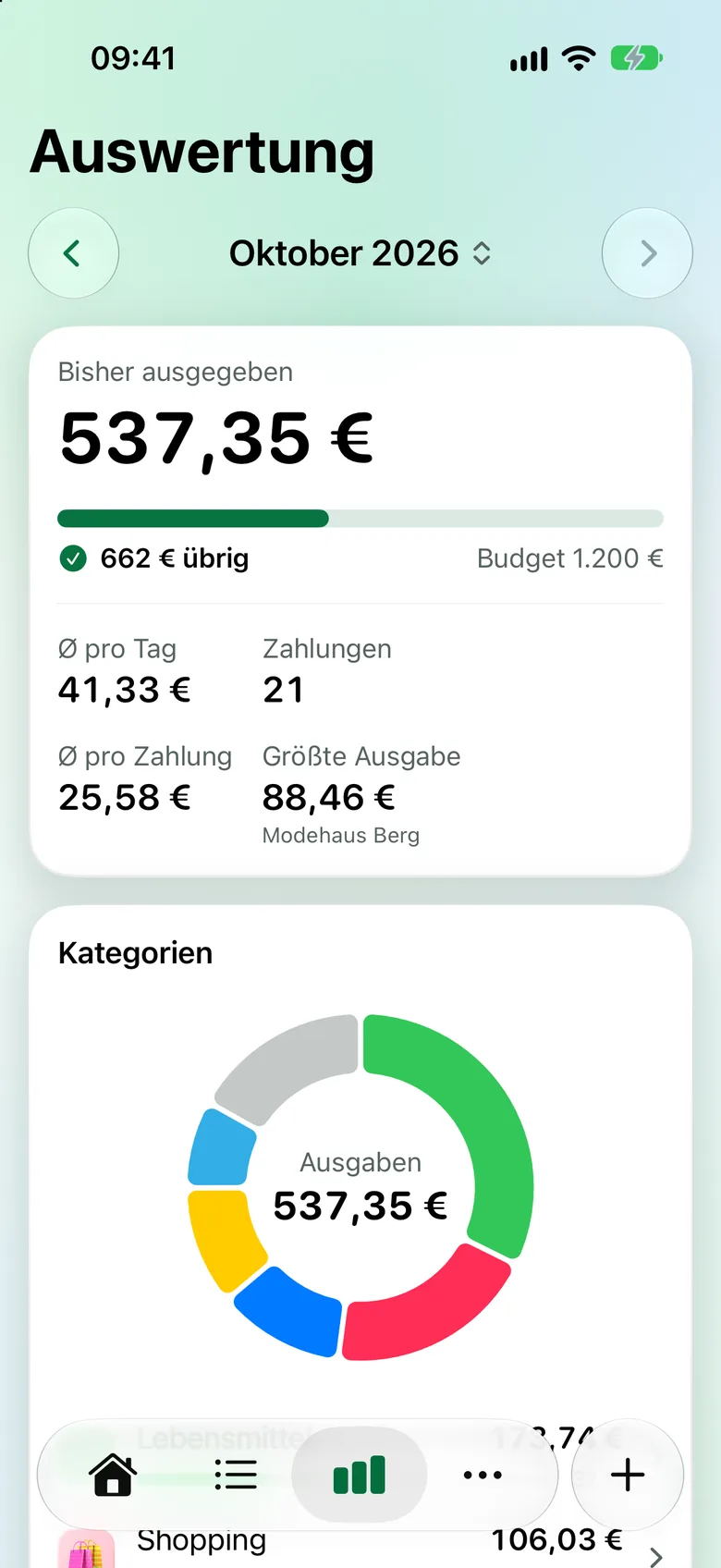
Kategorien, Verlauf und der Vergleich mit dem Vormonat – übersichtlich und ganz ohne Tabellen.

Categories, trends and a comparison with last month – clear, and without a single spreadsheet.

  • Verlauf über 6 oder 12 Monate, mit deiner Budget-Linie.History over 6 or 12 months, with your budget line.
  • Hochrechnung bis zum Monatsende.Projection to the end of the month.
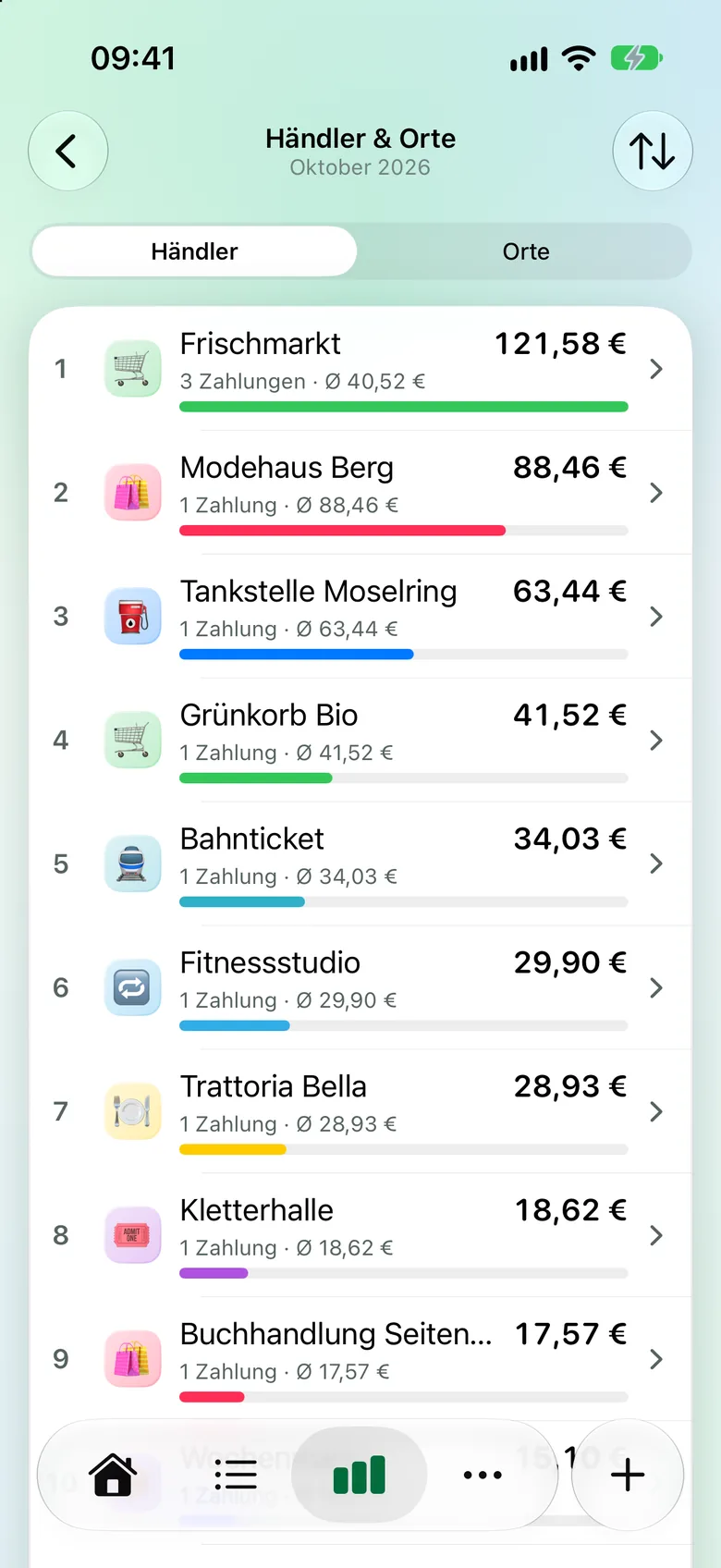
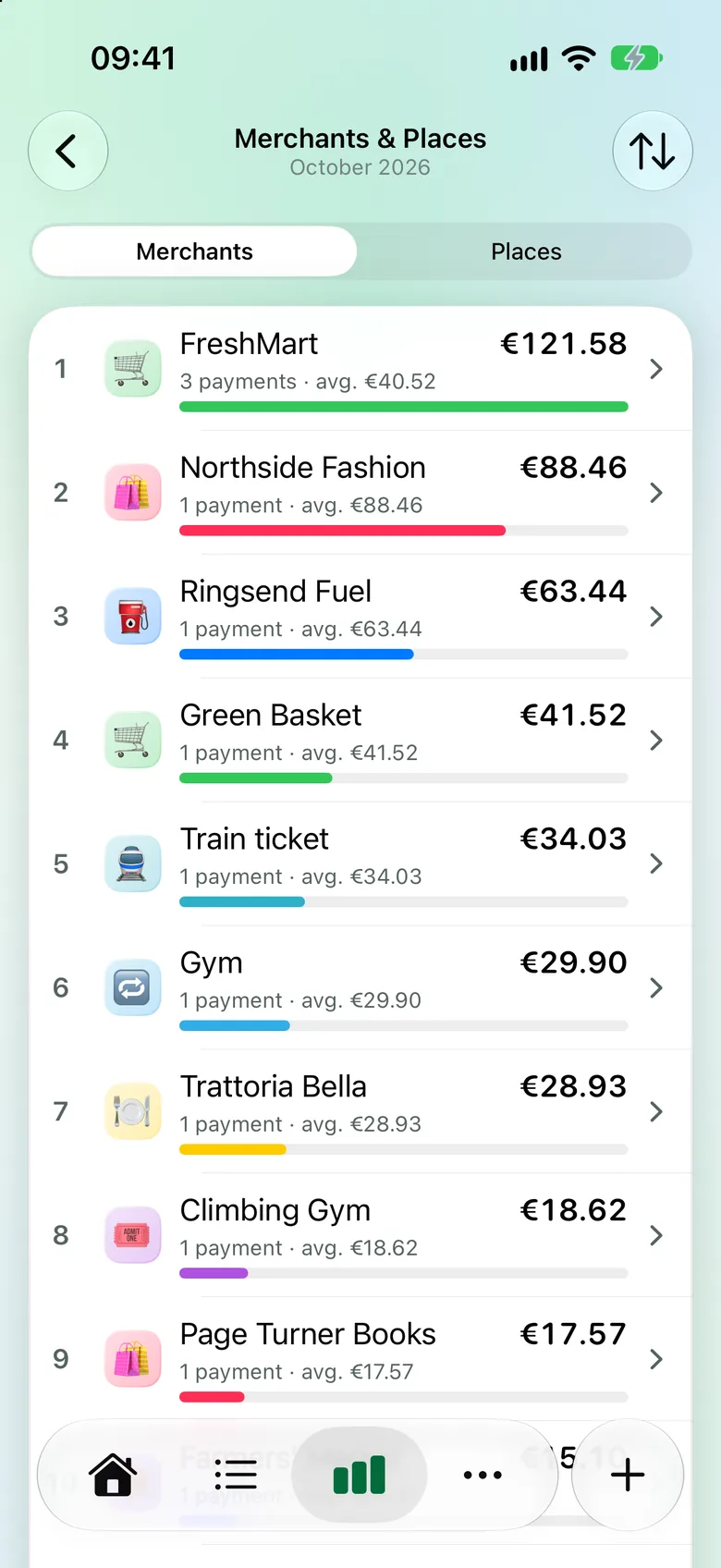
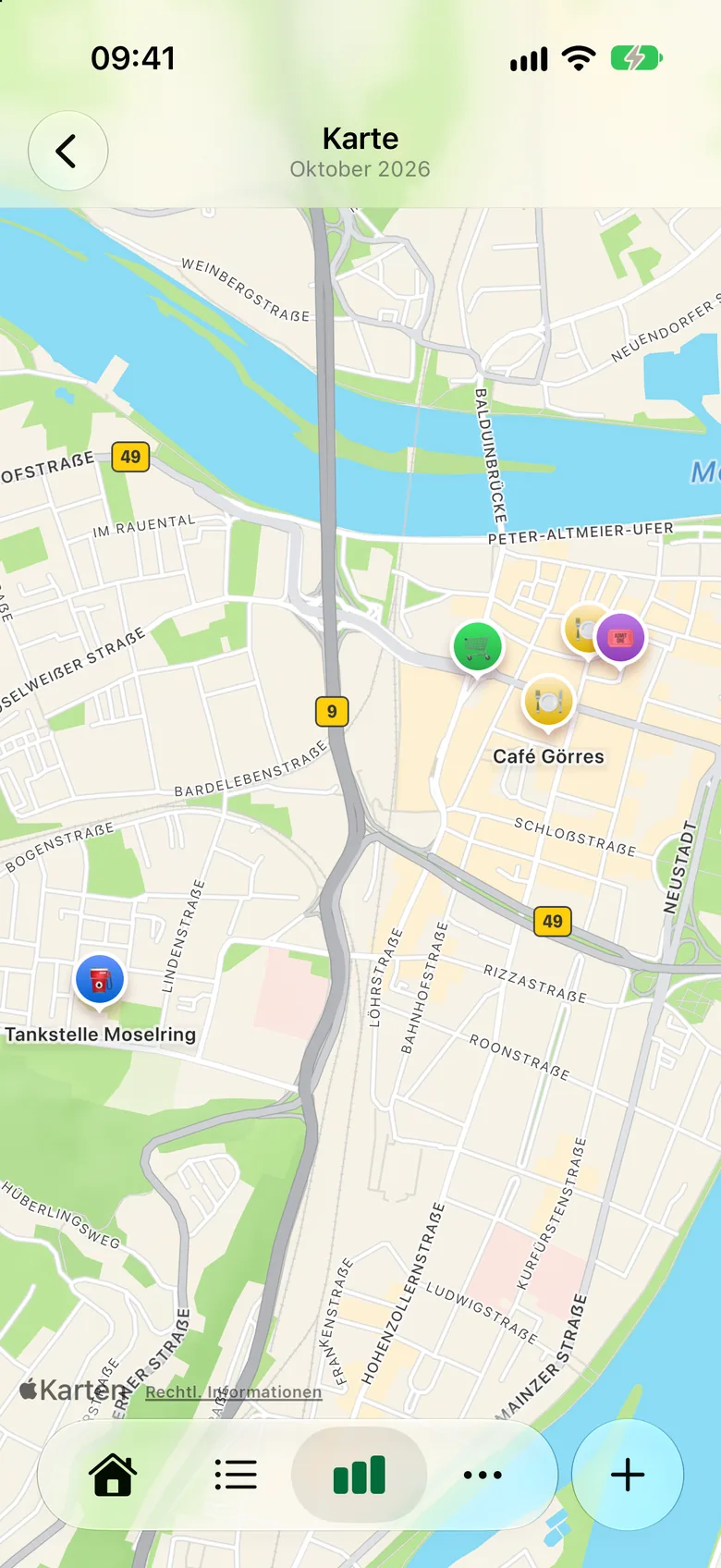
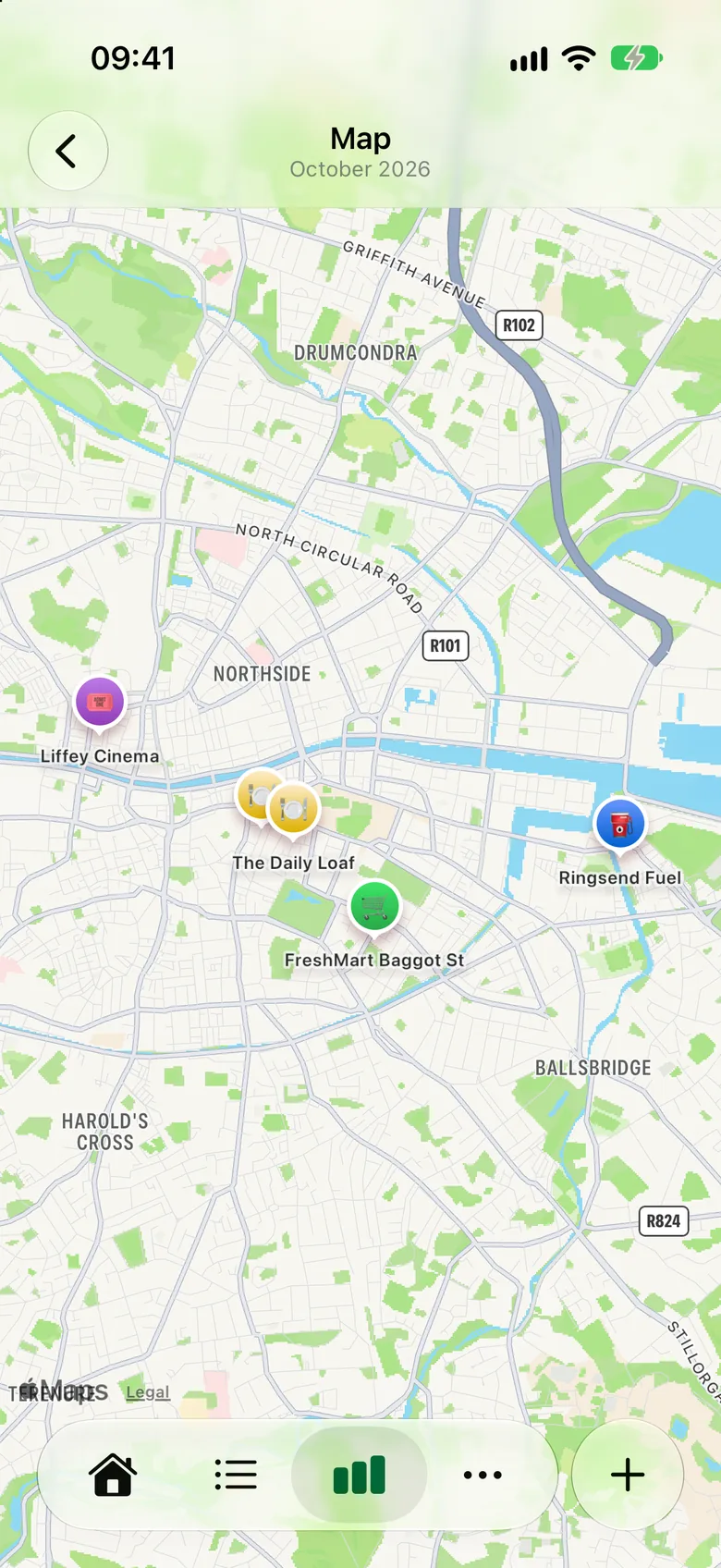
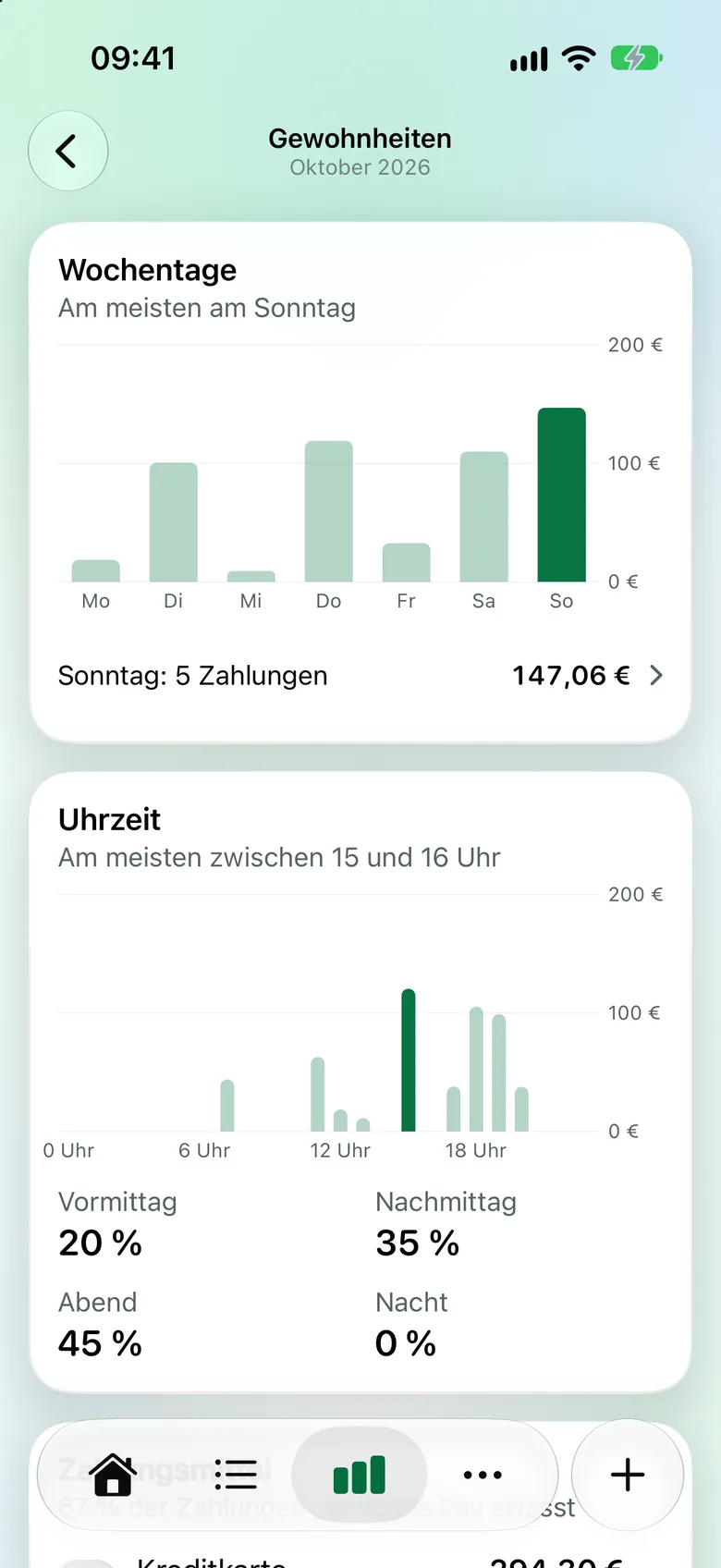
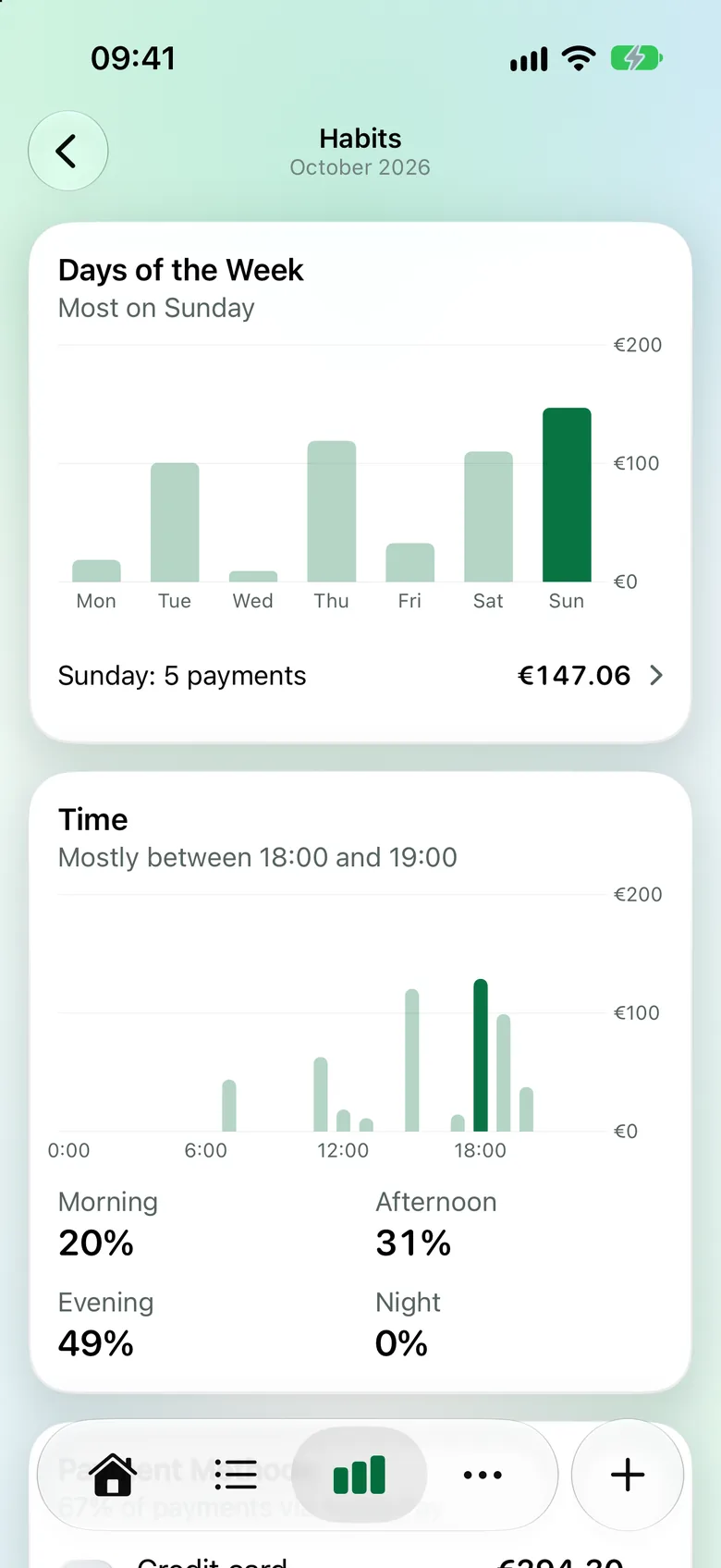
  • Händler, Orte, Karte und Gewohnheiten auf eigenen Seiten.Merchants, places, map and habits on their own pages.
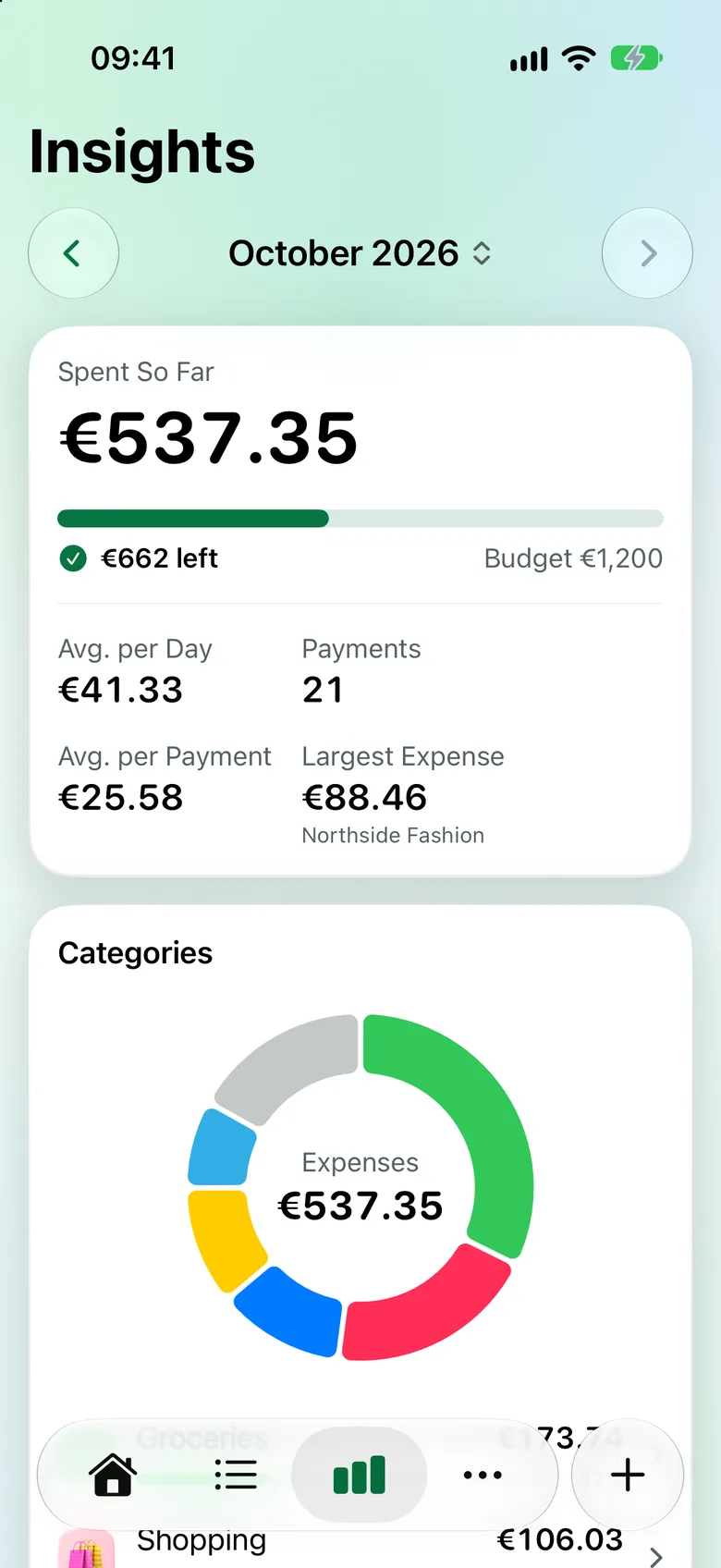
Auswertung Oktober: 537,35 € ausgegeben, Kennzahlen und ein Ringdiagramm nach Kategorien. October insights: €537.35 spent, key figures and a doughnut chart by category.
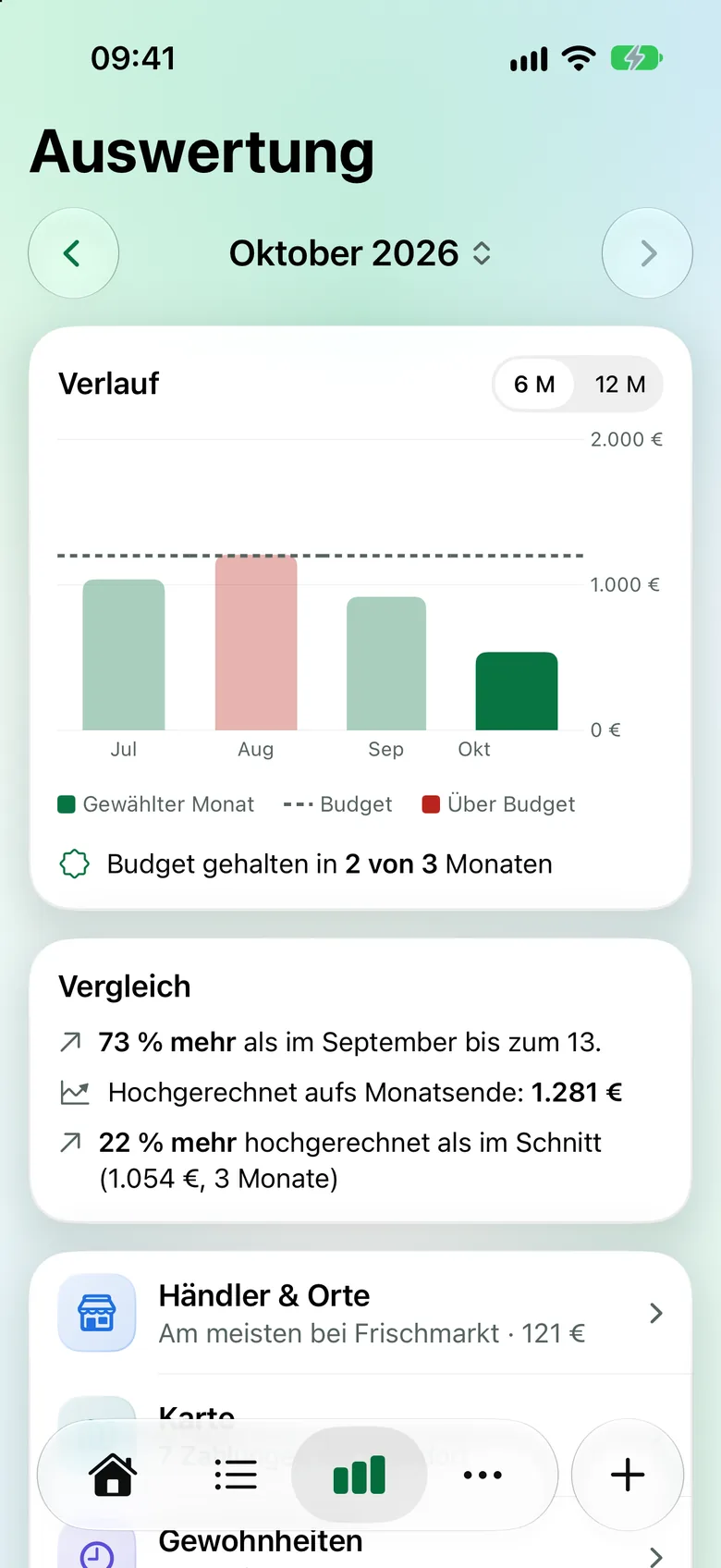
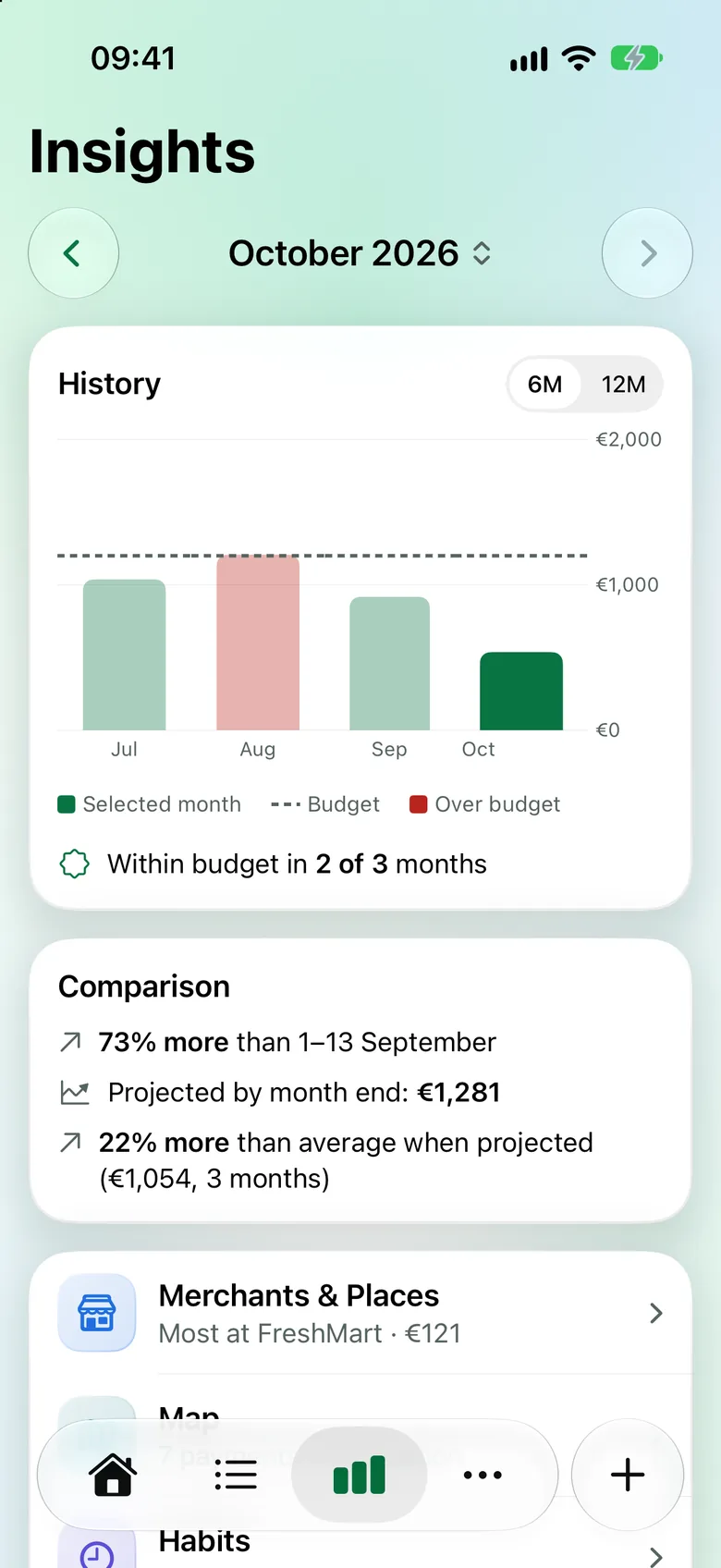
Verlauf der letzten Monate als Balken mit Budget-Linie und ein Vergleich mit dem Vormonat. History of recent months as bars with a budget line, plus a comparison with last month.
Rechnung teilenSplit bills

Teilen ohne Kopfrechnen.Split without the maths.

Kassenzettel scannen, antippen, wer was hatte – Kassensturz rechnet aus, wer wem wie viel schuldet.

Scan the receipt, tap who had what – Kassensturz works out who owes whom.

  • Die Positionen liest die App direkt vom Beleg.The app reads the items straight off the receipt.
  • Trinkgeld wird fair nach Verzehr verteilt.The tip is shared fairly by what each person had.
  • Abhaken, wer schon bezahlt hat.Tick off who has already paid.
  • Dein Anteil zählt automatisch in dein Budget.Your share counts towards your budget automatically.
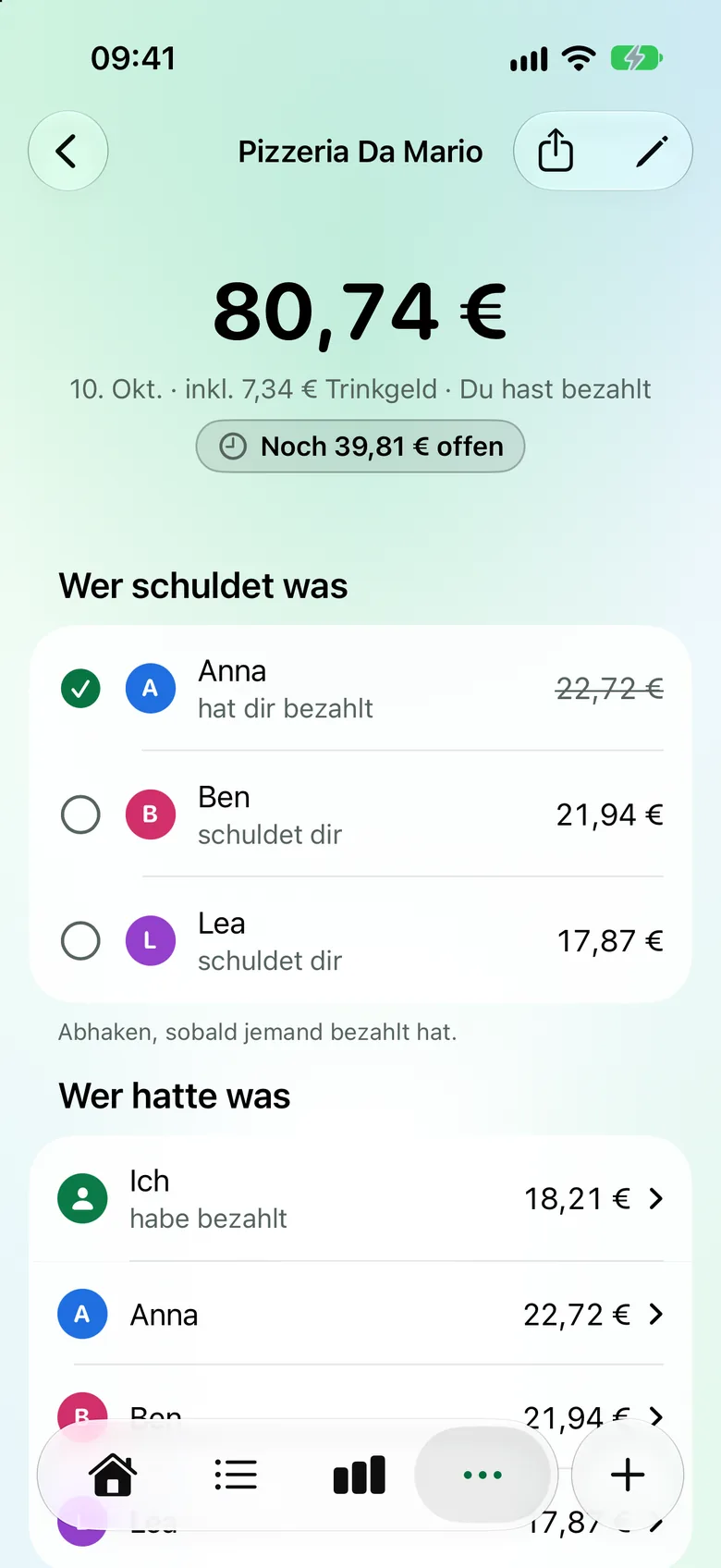
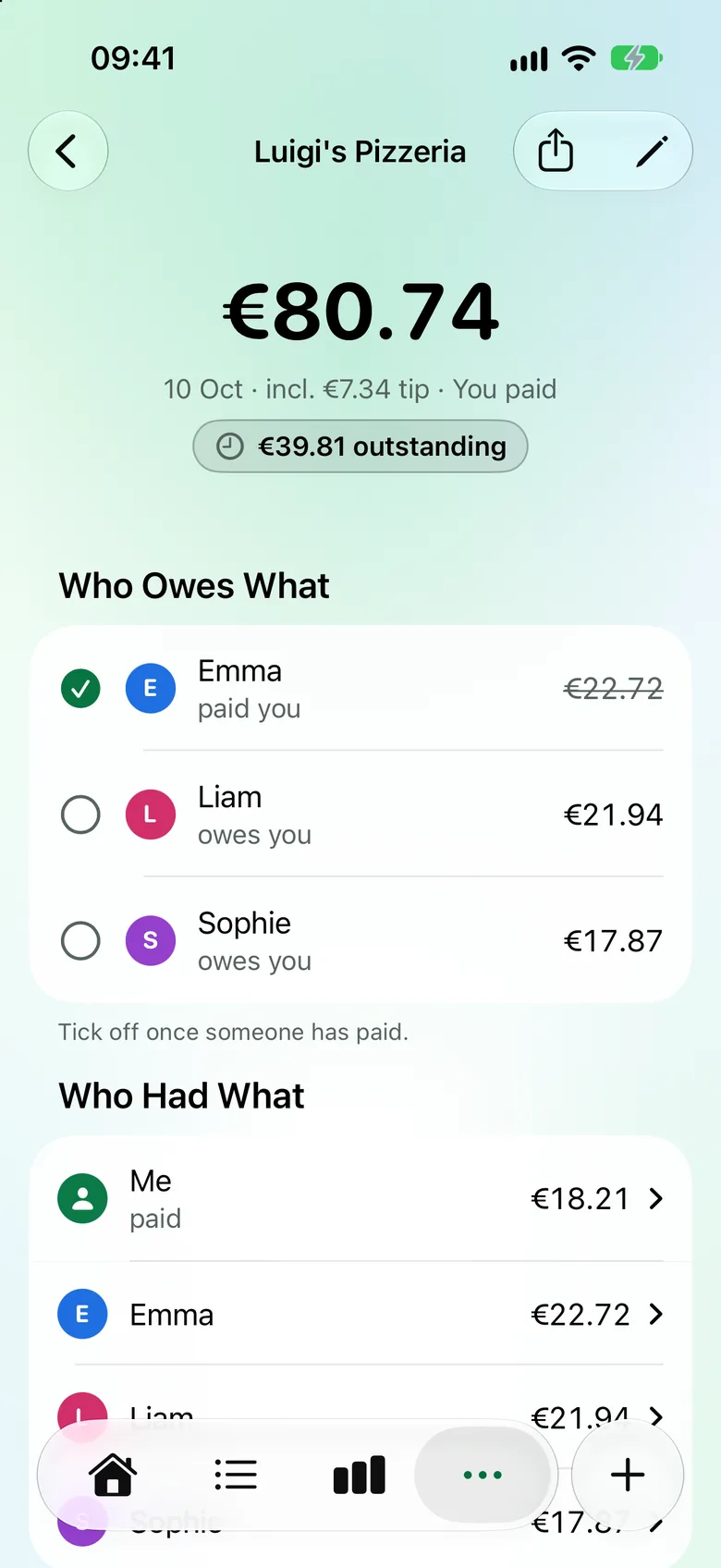
Geteilte Rechnung der Pizzeria Da Mario: 80,74 € inklusive Trinkgeld, wer wem wie viel schuldet und wer schon bezahlt hat. Split bill from Luigi’s Pizzeria: €80.74 including tip, who owes what and who has already paid.
AbosSubscriptions

Abos, die sich selbst eintragen.Subscriptions that log themselves.

Einmal anlegen – Kassensturz bucht monatliche Abos am Fälligkeitstag und behält die Summe im Blick.

Add them once – Kassensturz books monthly subscriptions on their due date and keeps an eye on the total.

  • Erinnerung einen Monat und eine Woche vor dem Ende der Laufzeit.Reminders one month and one week before the term ends.
  • Auf Wunsch am 1. des Monats statt am Zahltag.Optionally on the 1st of the month instead of the payment day.
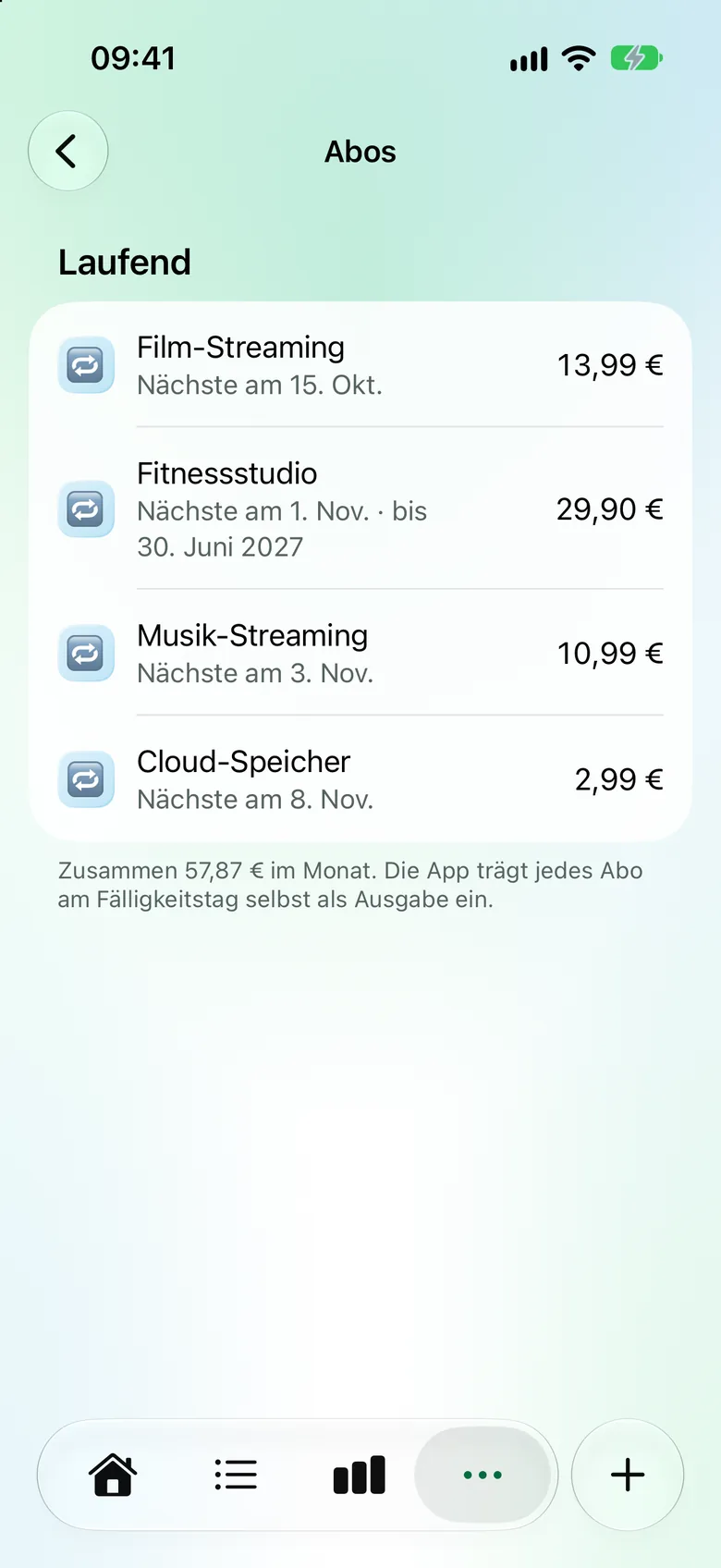
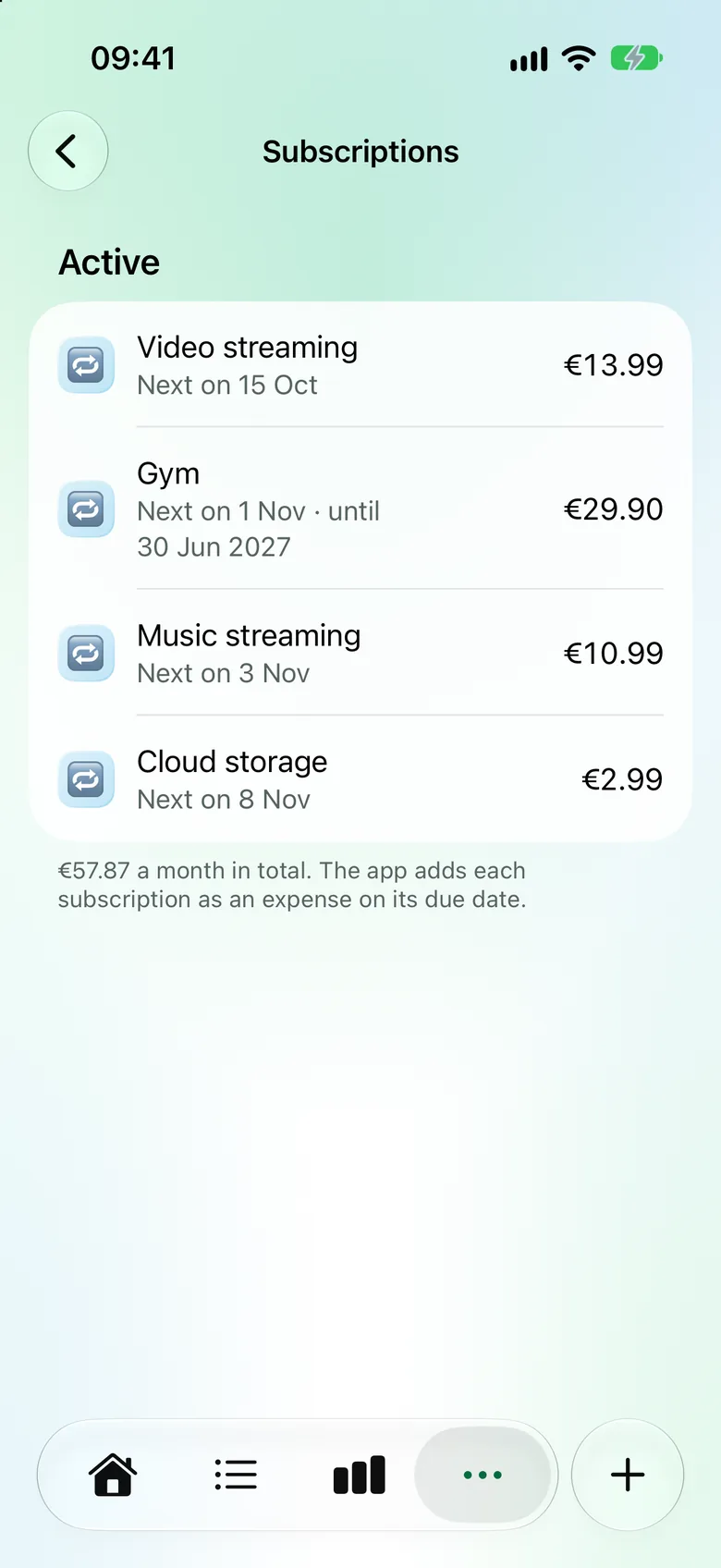
Liste der laufenden Abos mit nächstem Fälligkeitstag und Betrag, zusammen 57,87 € im Monat. List of active subscriptions with next due date and amount, €57.87 a month in total.
Noch mehrThere’s more

Alles im Blick.Everything at a glance.

OrtePlaces

Speichere Lieblingsorte – Kategorie und Tags kommen dann von selbst.

Save favourite places – the category and tags then fill in by themselves.

Tags

Markiere Ausgaben quer zu den Kategorien, etwa „Urlaub“.

Label expenses across categories, like “Holiday”.

KartenCards

Sieh, mit welcher Karte du gezahlt hast – jede mit eigenem Symbol und eigener Farbe.

See which card you paid with – each with its own icon and colour.

Inbox

Zahlungen ohne Kategorie sammeln sich hier, bis du Zeit hast.

Payments without a category collect here until you have time.

CSV-ExportCSV export

Alle Buchungen als Tabelle, etwa für Numbers oder Excel.

All transactions as a spreadsheet, for Numbers or Excel.

Deutsch & EnglischEnglish & German

Die App spricht beides – umschaltbar direkt in der App.

The app speaks both – switch right inside the app.

PrivatsphärePrivacy

Dein Geld. Deine Daten. Nur auf deinem iPhone.Your money. Your data. Only on your iPhone.

Kassensturz kommt ohne Konto und ohne Server aus. Was du erfasst, bleibt auf deinem iPhone – nur für Adressen und die Ortssuche fragt die App Apples Kartendienst.

Kassensturz works without an account or a server. What you track stays on your iPhone – only addresses and place search use Apple’s map service.

Kein KontoNo account

Keine Anmeldung, keine E-Mail-Adresse, kein Bankzugang.

No sign-up, no email address, no bank login.

Kein ServerNo server

Keine Cloud, keine Synchronisierung – alles bleibt auf dem Gerät.

No cloud, no syncing – everything stays on the device.

Keine WerbungNo ads

Keine Anzeigen, nirgends.

No adverts, anywhere.

Kein TrackingNo tracking

Keine Analyse, keine Profile. Im App Store steht: „Keine Daten erfasst“.

No analytics, no profiles. The App Store label reads: “Data Not Collected”.

Mehr dazu in der Datenschutzerklärung. More in the privacy policy.

PreisPrice

Einmal zahlen. Kein Abo.Pay once. No subscription.

Kassensturz

4,99 €€4.99

einmaligone-time purchase

  • Alle Funktionen inklusiveAll features included
  • Keine In-App-KäufeNo in-app purchases
  • Kein Abo, keine WerbungNo subscription, no ads
Laden im App Store Download on the App Store

Für iPhone mit iOS 27 oder neuer. For iPhone with iOS 27 or later. Prices may vary by country.

FragenFAQ

Gut zu wissen.Good to know.

Wie erfasst Kassensturz meine Zahlungen?How does Kassensturz track my payments?

Über eine persönliche Automation in der Kurzbefehle-App: Zahlst du im Laden mit Apple Pay am iPhone, übergibt iOS Betrag, Händler und Karte an Kassensturz. Die App liest keine Kontoauszüge und braucht keinen Bankzugang.

Through a personal automation in the Shortcuts app: when you pay in store with Apple Pay on your iPhone, iOS passes the amount, merchant and card to Kassensturz. The app doesn’t read bank statements and needs no bank login.

Mit der Plastikkarte startet die Automation nicht. Online-Käufe und Barzahlungen trägst du mit + in Sekunden selbst ein.

The automation doesn’t run when you pay with a physical card. Online purchases and cash you add yourself with + in seconds.

Brauche ich ein Konto?Do I need an account?

Nein. Keine Anmeldung, keine E-Mail-Adresse, kein Bankzugang – App laden und loslegen.

No. No sign-up, no email address, no bank login – download the app and get started.

Wo liegen meine Daten?Where is my data stored?

Nur auf deinem iPhone. Es gibt keinen Server und keine Synchronisierung zwischen Geräten. In deinen iPhone-Backups sind die Daten enthalten.

Only on your iPhone. There’s no server and no syncing between devices. Your data is included in your iPhone backups.

Auf welchen Geräten läuft Kassensturz?Which devices does Kassensturz run on?

Auf dem iPhone mit iOS 27 oder neuer.

On iPhone with iOS 27 or later.

Was kostet Kassensturz?How much does Kassensturz cost?

Einmalig 4,99 €. Kein Abo, keine In-App-Käufe, keine Werbung.

A one-time €4.99 (prices may vary by country). No subscription, no in-app purchases, no ads.

Kann ich meine Daten exportieren?Can I export my data?

Ja, als CSV-Datei – zum Beispiel für Numbers oder Excel. Du findest den Export in der App unter Mehr › Daten.

Yes, as a CSV file – for Numbers or Excel, for example. You’ll find the export in the app under More › Data.

Noch Fragen? Zum Support More questions? Get support